
Elevator COP Panel Structure & Common Failure Parts
In elevator control systems, the COP (Car Operating Panel) is a key device installed inside the elevator car. Passengers use it to select floors, control door operations, and view elevator status. Due to its extremely high usage frequency, the COP panel not only affects signal transmission but also directly impacts passenger experience.
In maintenance practice, COP panel failures are quite common. In many cases, the issue is not the entire panel, but aging or failure of specific internal components. As a professional supplier serving the global market, A-FLY has found that understanding the internal structure of COP panels helps maintenance teams quickly locate faults and replace the necessary parts.
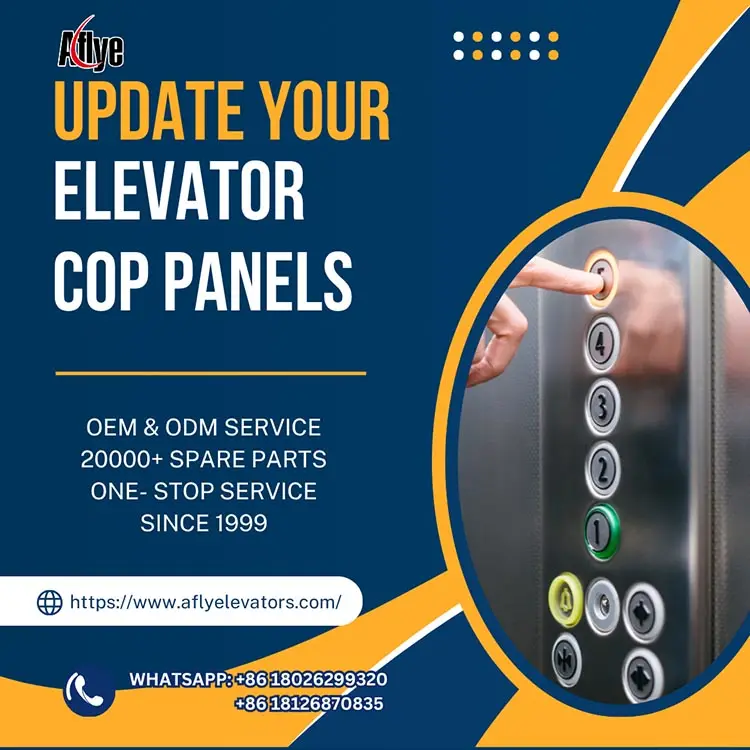
1. Basic Structure of a COP Panel
A complete COP panel typically consists of multiple functional modules, including:
Button modules
Display modules
Power supply modules
Communication interfaces
Although it appears to be a simple control panel externally, internally it integrates various electronic and mechanical components. The core parts include:
Floor display boards or LCD screens
Buzzer or voice prompt modules
Power supply board
Communication wiring interfaces
These components work together to transmit passenger commands and display operating information.
2. Button Modules: The Most Common Failure Point
Inside the COP panel, the Elevator Push Button Module is one of the most failure-prone components. Due to frequent daily use, internal contacts and spring mechanisms are subject to wear and aging.
Common issues include:
No response when pressed
Poor sensitivity
Backlight not working
Oxidized contacts or worn internal structures can prevent signals from being properly transmitted to the control system.
3. Display Board Failures
Modern COP panels are usually equipped with LED or LCD displays to show floor numbers and travel direction. If the display board or its connections fail, the following issues may occur:
Screen not lighting up
Incorrect floor display
Flickering or intermittent display
In some cases, the issue is not the display itself but unstable connections with related components.
4. Power Supply Module Issues
COP panels typically include a small power supply module to power the buttons, display, and other electronics. If the power module fails, multiple problems may arise:
Button backlights not working
Display not turning on
Partial panel malfunction
The power module is therefore a key component to check during maintenance.
5. Communication Line Failures
The COP panel communicates with the elevator control system through signal lines. If wiring connections are loose or faulty, signals may not be transmitted correctly.
Typical symptoms include:
Button commands not recognized
Missing display information
Partial panel malfunction
Checking communication cables and interfaces is essential during inspection.
6. Structural Component Wear
In addition to electronic components, structural parts of the COP panel may also wear out, such as:
Panel housing
Mounting brackets
Button installation structures
If the panel is not securely installed, long-term vibration can loosen internal components and affect overall stability.
7. How to Reduce COP Panel Failures
To minimize COP panel issues, maintenance engineers should:
Regularly check button responsiveness
Inspect display boards and power modules
Verify communication wiring connections
Ensure the panel is securely mounted
Routine maintenance helps extend the lifespan of elevator components.
8. A-FLY Provides Professional COP Panel Solutions
As a professional elevator and escalator parts supplier, A-FLY offers a wide range of:
Display boards
Other related components
These products are compatible with various elevator brands and control systems, enabling maintenance teams to complete repairs and replacements efficiently.
A-FLY is committed to providing reliable elevator parts solutions worldwide, ensuring long-term safe and stable operation.
Conclusion
Although the COP panel appears to be just a control interface, it contains multiple critical components inside.
By regularly inspecting button modules, display boards, and power systems—and working with a reliable supplier like A-FLY—maintenance teams can effectively reduce failures, improve system stability, and enhance passenger experience.