
Elevator Button Not Responding? Fault Analysis from Buttons and Wiring to Control Boards
In daily elevator maintenance, one of the most common issues is that an elevator button does not respond when pressed. Whether it is a button on the COP (Car Operating Panel) inside the elevator car or a HOP (Hall Operating Panel) call button outside the elevator, problems such as no response, no illumination, or failure to register a floor selection can affect passenger experience and, in severe cases, prevent the elevator from operating normally.
A non-responsive elevator button does not necessarily mean that the button itself is damaged. The problem may also be related to wiring connections, signal transmission, power supply, or the elevator control system. Maintenance technicians should troubleshoot the issue systematically, starting with the simplest external causes before moving on to more complex internal components.
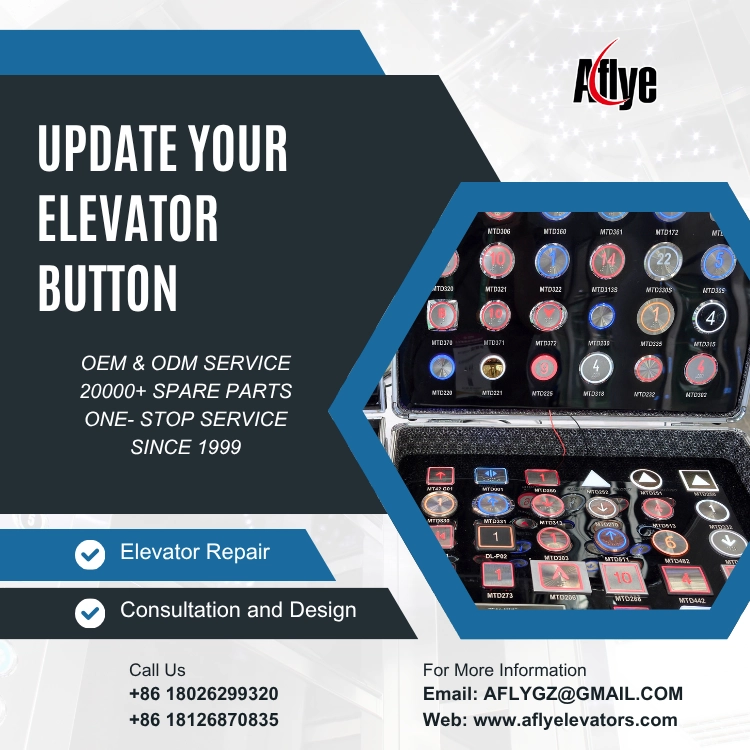
1. Damaged Elevator Button or Poor Contact
Elevator buttons are used frequently and may develop issues such as:
Poor button return action
Worn contacts
Aging spring components
Worn button markings
Failed LED indicators
If the internal contacts cannot close properly, the system will not receive the command when the button is pressed.
Common Symptoms
No light feedback when pressed
Button stuck in position
Soft or unusually hard button feel
One specific floor button consistently unresponsive
Solution
Inspect the button for physical damage and verify smooth operation. Check for oxidized or burned contacts. If the internal mechanism has deteriorated, replacing the button with a compatible elevator button is recommended rather than attempting temporary repairs that may fail again later.
2. Loose Wiring, Broken Cables, or Connector Problems
If the button itself is functioning properly but the signal cannot reach the control system, the problem may lie in the wiring.
Continuous elevator operation creates vibration, which can lead to:
Loose connectors
Poor terminal contact
Aging cables
Broken wires
This is particularly common in older elevators or systems that have undergone multiple repairs, where wiring may be disorganized or improperly connected.
Inspection Method
Check whether the button terminals are securely connected.
Inspect cables for damage, short circuits, or open circuits.
Verify communication and power cables between the COP/HOP and the control board.
Use a multimeter when necessary to test voltage levels and signal continuity.
3. Button Light Not Working but Function Still Normal
In some cases, the elevator successfully registers the floor selection, but the button indicator light does not illuminate.
This type of problem is usually related to:
LED failure
Power supply issues
Display driver faults
Control output abnormalities
It does not necessarily mean that the button itself has failed.
Recommended Action
First confirm whether the button command is being registered correctly. Then check:
LED voltage supply
LED components
Related driver circuits
If only the lighting function has failed, replacing the button module can improve passenger visibility and user experience.
4. Elevator Control Board or Communication System Failure
If multiple buttons stop responding simultaneously, or an entire COP or HOP panel becomes inoperative, the elevator control system should be inspected.
Possible causes include:
Control board failure
Communication errors
Power module faults
Interface board problems
Any of these issues may prevent button commands from being recognized.
Solution
Verify stable power supply to the control board.
Check whether communication indicators are functioning normally.
Confirm reliable connections between interface boards, display boards, and button boards.
Inspect the control board for signs of burning, water damage, or component failure.
If a fault is found, replace the corresponding elevator control board or related elevator and escalator spare parts.
5. Elevator Button Procurement Recommendations
When purchasing elevator buttons, buyers should consider more than appearance and price. Important factors include:
Model compatibility
Dimensions
Installation method
Interface type
Operating voltage
Illumination color
Compatible elevator brands
For high-traffic applications, it is recommended to select durable, waterproof, vandal-resistant buttons with optional features such as buzzers or special functions to improve service life and safety.
As a professional elevator and escalator spare parts supplier, A-FLY provides a wide range of:
Elevator buttons
Display boards
Control boards
Wiring accessories
Related elevator and escalator spare parts
A-FLY supports multi-brand compatibility, OEM/ODM customization, bulk supply, and fast delivery, helping maintenance companies, engineering contractors, and spare parts wholesalers solve procurement and repair challenges efficiently.
Conclusion
When an elevator button does not respond, the root cause may be a faulty button, damaged wiring, connector issues, communication failures, or a malfunctioning elevator control board.
Maintenance personnel should systematically troubleshoot from the elevator button and wiring connections through to the control system to accurately identify the fault.
Choosing a reliable elevator and escalator spare parts supplier can significantly reduce elevator downtime and improve maintenance efficiency.